
Analytics & Optimization
How to Create UTM Presets & Use It
Why Create UTM Presets?
UTM Presets function as a library of UTM parameter values. The primary advantage is eliminating repetitive typing of value/name pairs, which helps minimize typos and manual mistakes when generating UTM links.
How to Create UTM Presets
Follow these steps:
- Navigate to URL Shortify > UTM Presets
- Select Add New
- Input the name, descriptions, and various UTM parameters, then save
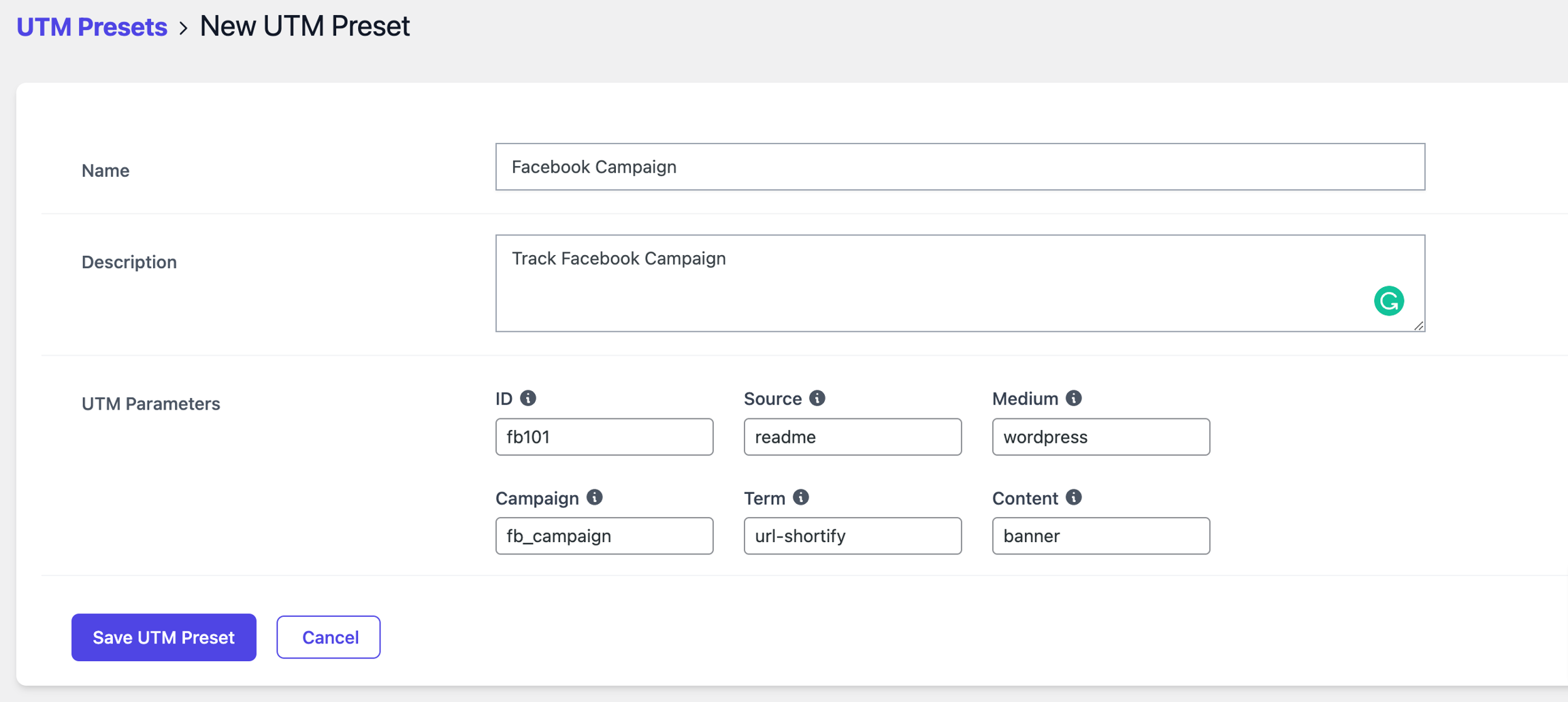
You can view all your created presets from the same URL Shortify > UTM Presets location.

Using UTM Presets
After creating presets, you can apply them when generating short links via URL Shortify > Links > Add New. A dropdown menu will display your saved presets for quick selection.

Important Note: The UTM Presets dropdown only appears after you've created at least one preset.