
Link Management
What is No Follow and Sponsored Link?
Links and SEO
Links play a crucial role in search engine optimization. They help search engines discover and evaluate page importance. However, there are situations where you might want to prevent search engines from following a link or indicate that it's sponsored or user-generated content.
When linking to external websites, search engines may interpret this as a "vote" for that page. Pages receiving numerous votes from authoritative sources tend to rank higher in search results, making links a valuable SEO currency.
Link Building
Historically and presently, some marketers attempt to manipulate search rankings by purchasing links. This practice violates search engine guidelines. Instead, effective SEO involves creating quality resources and promoting them legitimately to earn natural backlinks.
The challenge arises when unwanted links appear on your site through spam comments, forums, or user profiles. To combat this, special link attributes communicate trustworthiness to search engines.
The Nofollow Attribute
In 2005, Google introduced the nofollow attribute to combat link spam. This attribute tells search engines to disregard a link when calculating rankings. It applies to several scenarios:
- Paid advertisements or sponsored content
- Links you don't personally endorse but reference for context
- User-submitted content on comment systems and social platforms
HTML syntax: <a href="https://www.example.com" rel="nofollow">example link</a>
Internal Links
Even internal links sometimes warrant the nofollow attribute. For instance, marking login and registration pages as nofollow prevents search engines from wasting resources crawling them.
Important note: Google treats nofollow as a "hint" rather than a directive. Engines may still crawl nofollow links while diminishing their ranking influence.
Sponsored and UGC Attributes
In September 2019, Google introduced two additional link attributes:
Sponsored attribute — Identifies paid placements, advertorials, and compensated links.
UGC attribute — Marks user-generated content links from comments and user profiles.
Both function similarly to nofollow, preventing links from passing ranking value while helping search engines better understand linking patterns.
HTML Examples
- Normal link:
<a href="https://www.example.com">example link</a> - Nofollow link:
<a href="https://www.example.com" rel="nofollow">example link</a> - Sponsored link:
<a href="https://www.example.com" rel="sponsored">example link</a> - UGC link:
<a href="https://www.example.com" rel="ugc">example link</a>
Combining Attributes
Multiple attributes can coexist in a single link: <a href="https://www.example.com" rel="nofollow sponsored">example link</a>
This approach ensures backward compatibility with search engines that don't yet recognize newer attributes.
When to Use Each Attribute
Sponsored attribute: Apply to all compensated links, advertisements, and paid placements. Pair with nofollow for broader compatibility.
UGC attribute: Use for user-generated content like comments and forum posts. WordPress automatically applies both UGC and nofollow to comment links.
Nofollow attribute: Include with sponsored and UGC links for maximum search engine support, as not all engines recognize the newer attributes.
Adding Nofollow & Sponsored Attributes to Short URLs
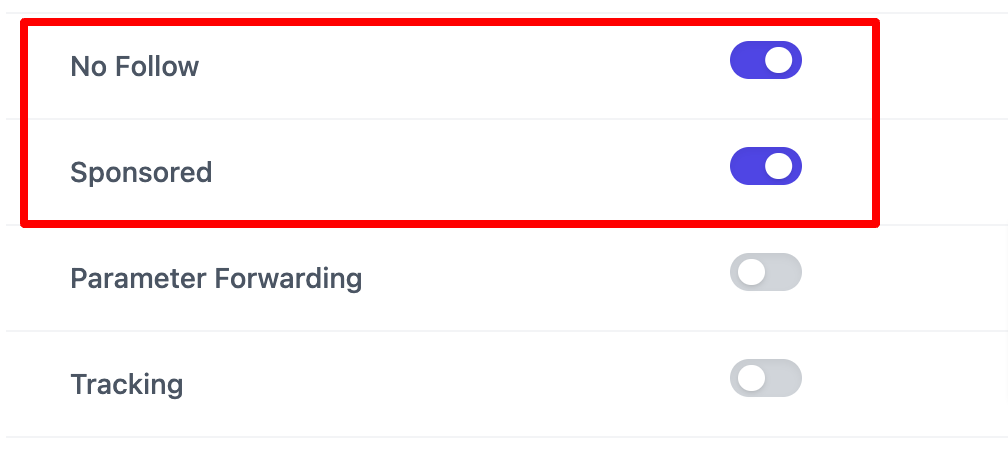
Per-Link Setup
- Navigate to URL Shortify > Links
- Create a new link
- Enable No Follow and Sponsored options
- Save
Global Configuration
- Go to URL Shortify > Settings
- Access the Links section
- Enable No Follow & Sponsored settings
- Save settings
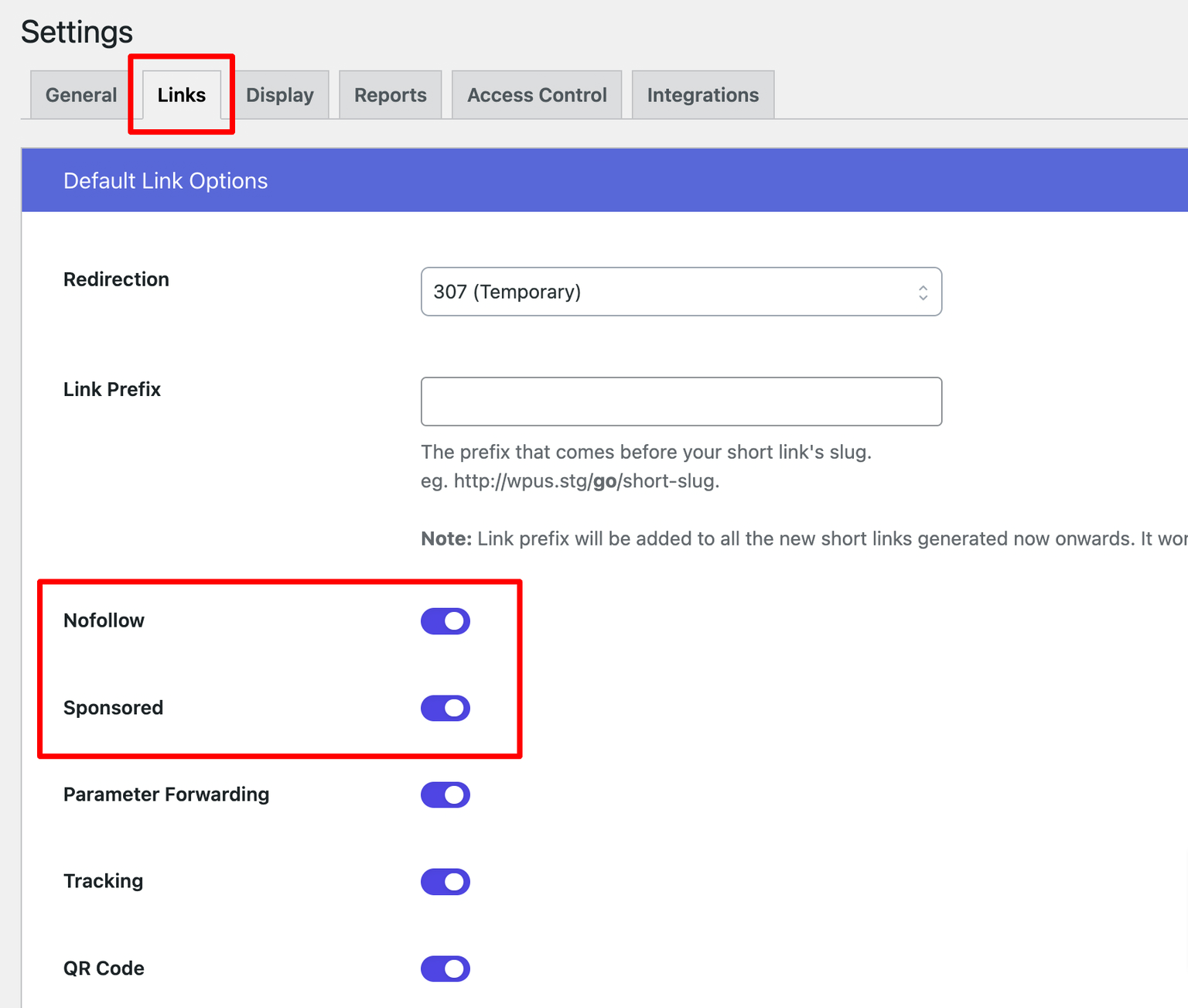
When enabled globally, all newly created links will have these attributes by default.