
More Features
What is Link Rotations & How It Works
What is Link Rotation?
Link Rotation enables you to assign multiple destination URLs to a single short link. This feature distributes traffic across various pages, facilitates A/B testing, or directs users based on predetermined traffic weightage.
Use Cases for Link Rotation
- A/B Testing: Test multiple landing pages to identify top performers.
- Load Balancing: Distribute user traffic across different servers or websites.
- Campaign Management: Rotate between various ad campaign URLs for optimization.
- Multi-Location Businesses: Redirect users to region-specific or other factor-based URLs.
How Does Link Rotation Work in URL Shortify?
When Link Rotation is configured, a single short link connects to multiple destination URLs. Each click redirects to one specified URL according to set rotation weightage.
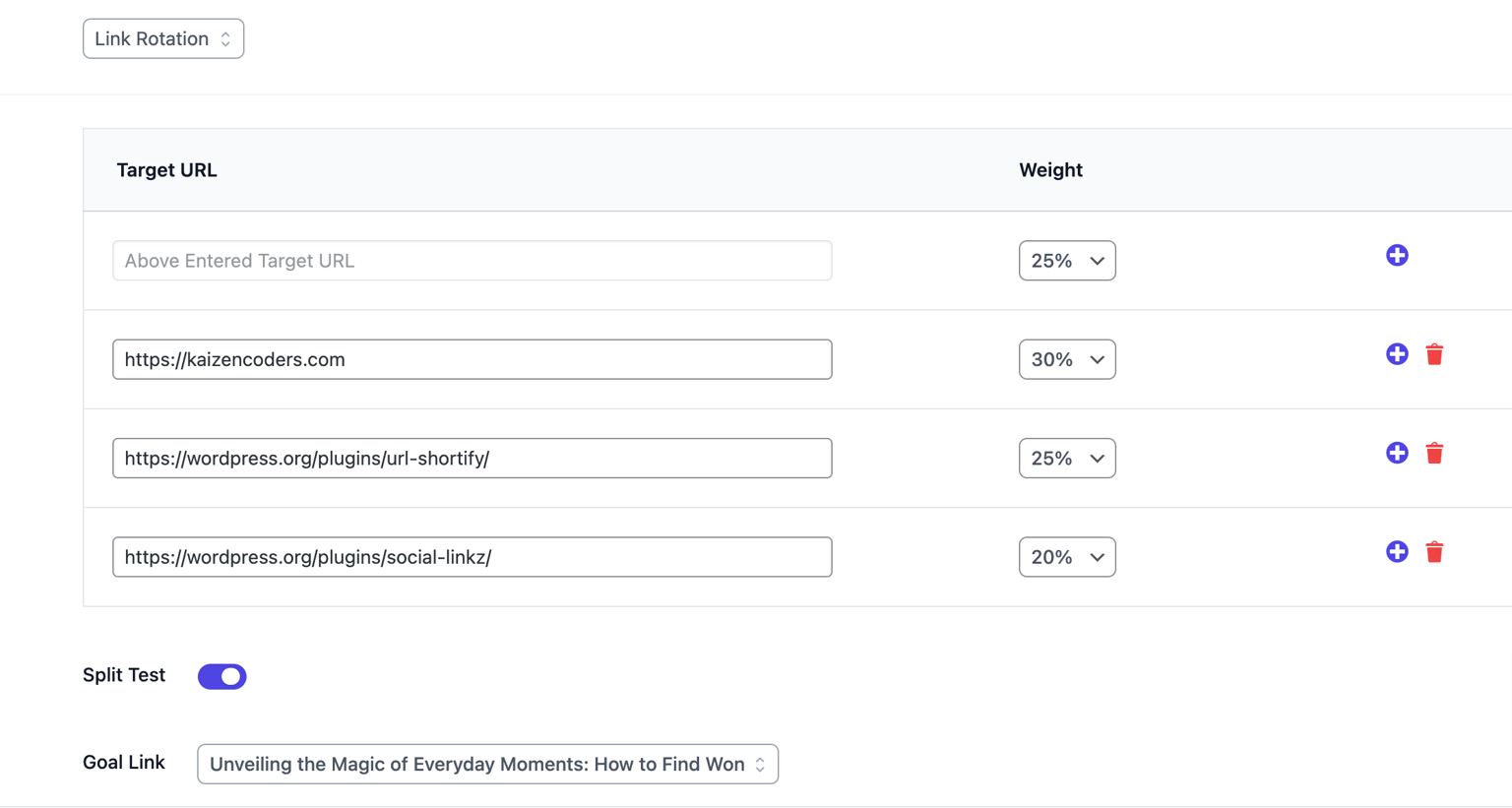
URL Shortify provides Weighted rotation capabilities. This approach assigns different "weights" or priorities to URLs, allowing unequal traffic distribution. For instance, assigning 70% weight to one URL and 30% to another directs proportional traffic accordingly.
How to Set Up Link Rotation in URL Shortify
- Create a Short Link: Generate a short link through URL Shortify's standard process.
- Enable Link Rotation: Activate the "Link Rotation" option under Dynamic Redirection settings.
- Add Multiple Destination URLs: Input desired destination URLs and assign weights to each.
- Enable Split Test (A/B Test): Activate split testing and designate a Goal Link.
- Save the Settings: Finalize your configuration.
Advantages of Link Rotation
- Optimize Campaigns: Identify superior-performing destinations through comparative analysis.
- Reduce Server Load: Distribute traffic to minimize strain on single servers.
- Efficient A/B Testing: Implement testing without complex technical configurations.
Note: This feature is available in URL Shortify PRO.