
More Features
Display Short URL Above, Below, and Within Post, Pages & Custom Post Types Content
Introduction
This guide assists users in displaying short URLs created by the URL Shortify plugin throughout WordPress content locations, including:
- At the top of posts, pages, and custom post types
- At the bottom of posts, pages, and custom post types
- Within the posts, pages, and custom post types
- At the top of the excerpt
- At the bottom of the excerpt
Add Short URL Above or Below Post/Page Content
URL Shortify offers a feature to position short URLs adjacent to post and page content.
Navigate to URL Shortify > Settings > Display and choose from these placement options:
- At the top of Posts
- At the bottom of Posts
- At the top of Pages
- At the bottom of Pages
- At the top of Excerpt
- At the bottom of Excerpt
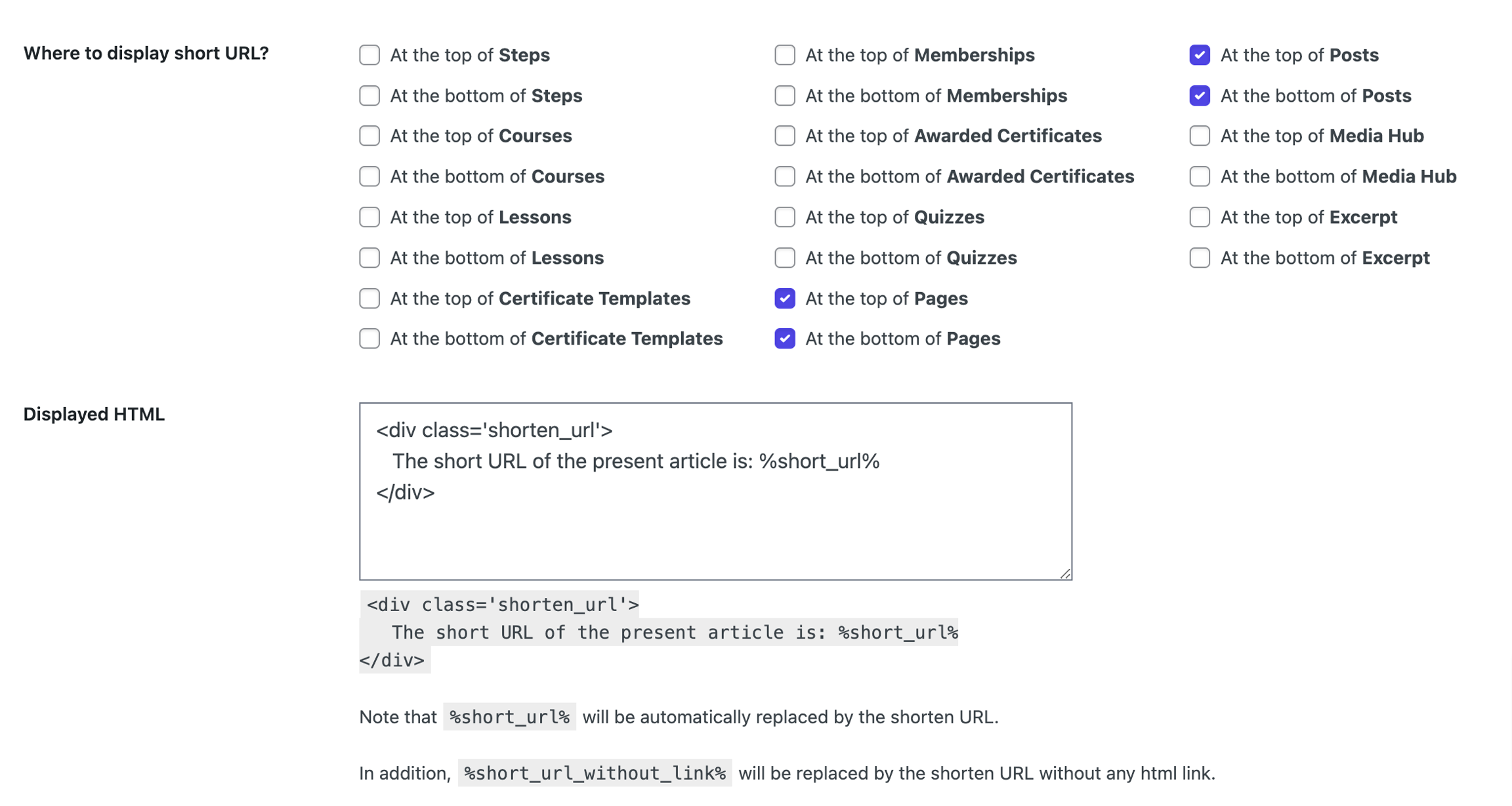
Custom Post Types options require URL Shortify PRO.
After selecting preferred options, the configured HTML will appear in those locations, automatically replacing the %short_url% placeholder with the actual short URL of your content.
Place HTML Content Within Posts, Pages & Custom Post Types
This functionality is available through URL Shortify PRO.
Upon installing and activating the PRO version, these additional options become available:

Users can insert the %short_url% and %short_url_without_link% tags anywhere in their content, and the plugin will replace them with the corresponding short URL.
Note: Some features described require URL Shortify PRO.