
Advanced Features
Open Graph Link Preview
When you scroll through a long list of short links, the slug and destination URL often aren't enough to tell you what each link actually leads to — especially for affiliate links, partner URLs, or campaign destinations that look cryptic.
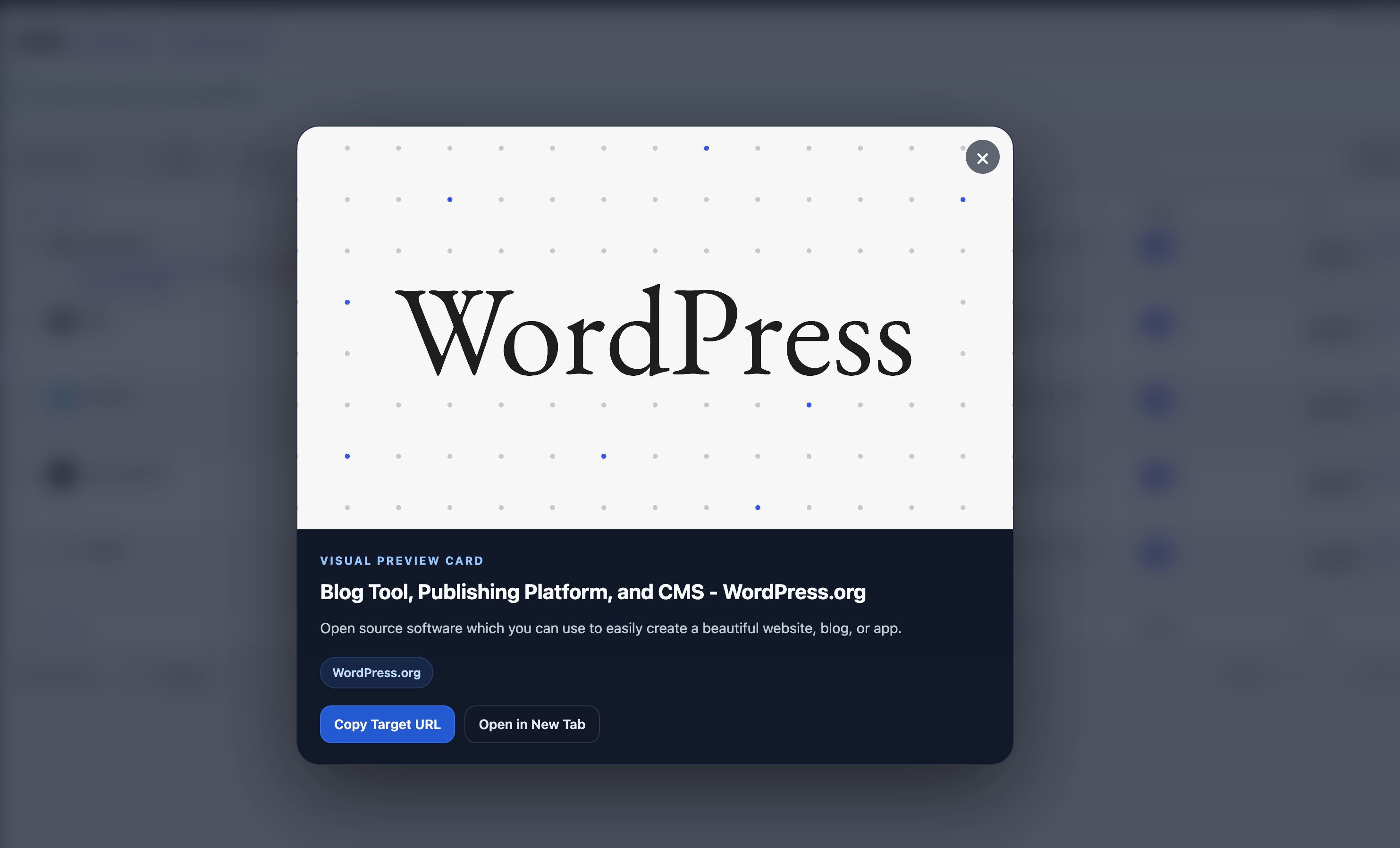
URL Shortify's Open Graph Link Preview gives you a one-click visual confirmation: title, description, image, and source site for any short link's destination — pulled live from the page's Open Graph metadata and displayed in a clean modal without leaving the Links admin.
What It Does
From the Links page, every row has a new Preview action under the link title. Click it, and URL Shortify:
- Reads the destination URL's Open Graph metadata (
og:title,og:description,og:image,og:site_name). - Renders a visual preview card in a modal — the same card a visitor would see when the link is shared on social media.
- Caches the metadata for 24 hours, so reopening the preview is instant.
It's the fastest way to confirm "is this link still pointing at the right page?" without breaking your flow.
How to Use It
Step 1 — Open the Links Page
Go to URL Shortify → Links.
Step 2 — Click "Preview"
Hover over any link row. In the row actions (next to Edit, Copy Short Link, Statistics), click Preview.
Step 3 — Review the Card
The modal shows:
- Preview image — the destination page's
og:image, or a placeholder if none is set. - Title — the destination's
og:title, falling back to the HTML<title>tag. - Description — the destination's
og:descriptionor meta description. - Source site — the page's
og:site_name, if defined. - Copy Target URL — copies the destination URL to your clipboard.
- Open in New Tab — opens the destination in a new browser tab for full verification.
Step 4 — Close the Modal
Click outside the card, press Esc, or click the close button in the top-right corner.
Why Use Open Graph Preview?
Verify Affiliate & Partner Links
Affiliate URLs often look like https://partner.example.com/aff?id=xyz&pid=1234. There's no way to know at a glance what product or page that resolves to. The Open Graph preview shows you the destination as the visitor sees it — without sitting through the affiliate redirect.
Catch Stale or Broken Destinations
If a destination page has been replaced or removed, the preview will show the new content (or an empty card if the page is gone). Combined with the Broken Link Checker, it gives you both automated detection and a quick eyeball check.
Confirm Campaign Targeting
Running a campaign with multiple short links pointing at variants of a landing page? Preview each one to make sure they point where you intended before you launch.
Save Click-Out Time
You don't have to open the destination in a new tab and wait for it to load. The preview is rendered straight from cached metadata, so it appears in under a second on repeat opens.
Behavior & Caching
- Cache duration: Open Graph metadata is cached per link for 24 hours. The first Preview triggers a live fetch; subsequent previews within 24 hours read from cache instantly.
- Cache invalidation: Editing a link's destination URL effectively invalidates the previous preview — the next Preview click re-fetches and re-caches.
- Fallbacks: If a destination doesn't expose Open Graph tags, URL Shortify falls back to the HTML
<title>and<meta name="description">. If those are missing too, the modal shows graceful placeholders rather than failing. - Permissions: Open Graph fetches require the same WordPress capability you need to view the Links page. There's no public-facing exposure.
- Security: Outbound fetches use a hardened HTTP client. URL Shortify rejects requests to private, loopback, or link-local IP ranges so the feature can't be abused for server-side reconnaissance, and caps response size to prevent memory exhaustion on hostile destinations.
Tips
- Use Preview as a pre-publish step. Before sharing a short link in an email, social post, or campaign, preview it. It takes one click and catches a surprising number of "wrong destination" mistakes.
- Refresh stale metadata by editing and re-saving the link — useful if you've updated the destination's OG image or title and want the preview to reflect the new look.
- Combine with Statistics. If a high-traffic link shows a preview you didn't expect, you'll want to fix it quickly — that's traffic going somewhere unintended.
Related Features
- Broken Link Checker — automated background monitoring of every link's destination.
- Link Tracking — see exactly how many clicks each link gets.
- Copy Short Link — copy the short URL straight from the row action.
Open Graph Link Preview is available in URL Shortify from version 2.4.0 onward — both Lite and PRO.