
Advanced Features
How to Import Short Links Using CSV
When to Use CSV Import
The platform provides bulk shortening capabilities through an import feature. This tool is useful when you need to shorten a large number of links at once.
Importing CSV Files and Generating Short Links
A video tutorial is available demonstrating the CSV import process.
Steps for Importing Short Links
The import process involves three main steps:
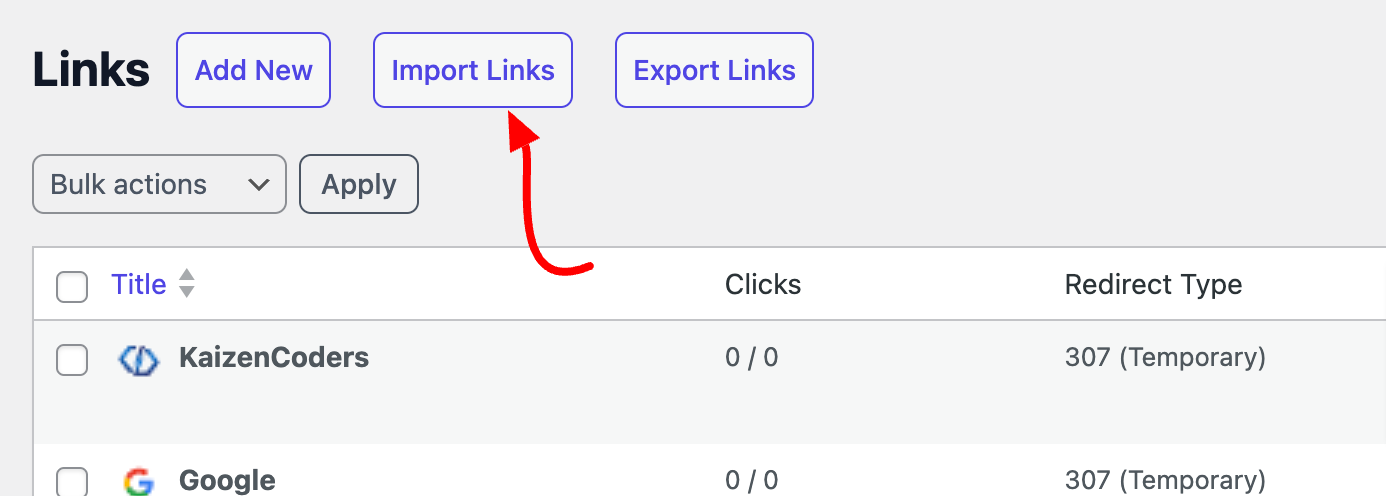
- Navigate to URL Shortify > Links
- Select the Import Links button located at the top of the page
- Upload your CSV file and click Import CSV
Once completed, your links will be imported and shortened automatically.
Additional Information
Helpful Tip: You can export a CSV file from one WordPress installation and import it into another WordPress installation using URL Shortify, making it easy to transfer your shortened links between sites.