
More Features
How Do We Give Link Management Access to Other WordPress Roles
By default, link management access is limited to WordPress Administrators only.
However, there are scenarios where you may want to extend link management capabilities to other user roles such as Editor, Author, Contributor, Subscriber, or custom roles.
Solution
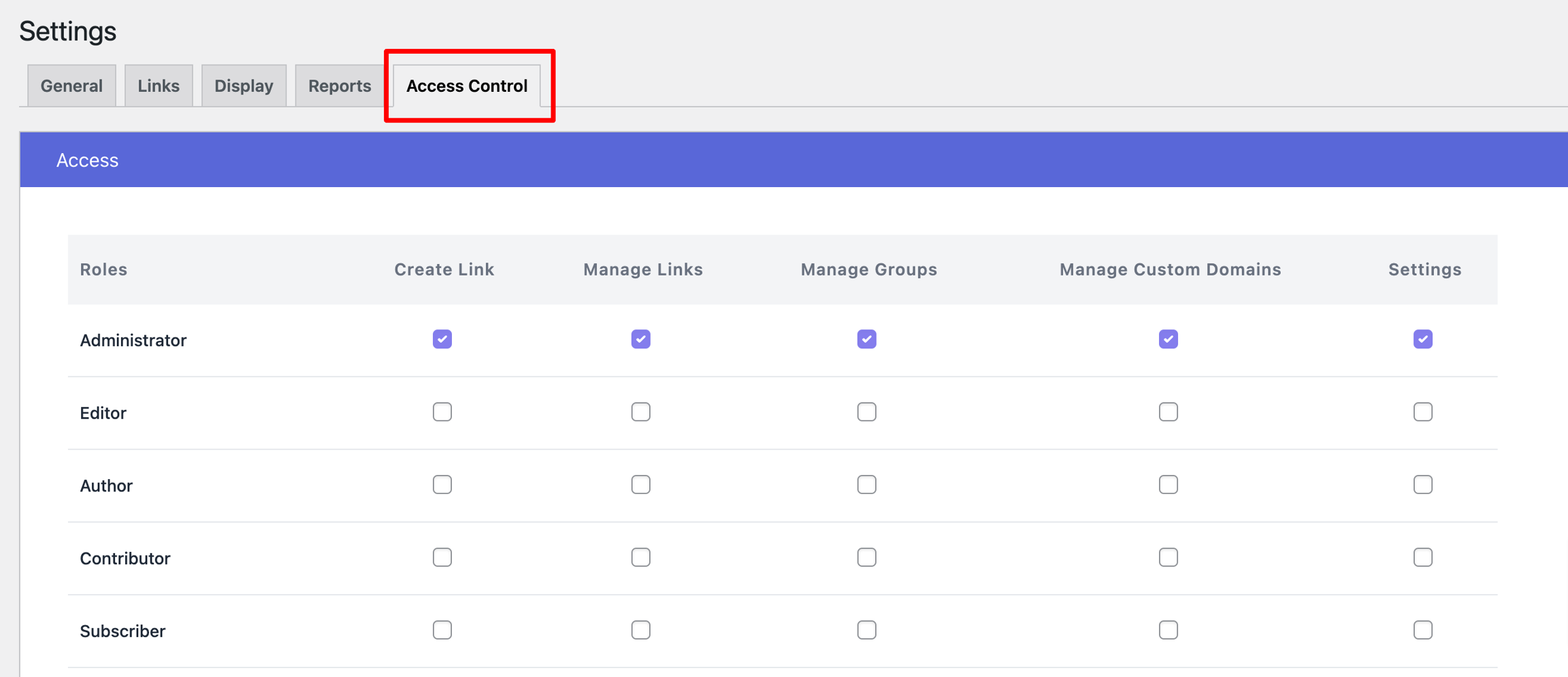
You can grant link management access to additional roles by using URL Shortify PRO. After installing and activating the plugin, navigate to URL Shortify > Settings > Access Control to configure permissions.
Access Control Permissions
The Access Control feature allows you to assign the following capabilities:
-
Create Link — Users can generate new links and manage (edit/delete) only their own created links.
-
Manage Links — Users can create links and have full authority to edit and delete all links, including those created by other users.
-
Manage Groups — Users can create links and manage all links and groups, including content from other users.
-
Manage Custom Domains — Users can create, modify, and remove custom domain configurations.
-
Settings — Users can modify all other link-related settings and configurations.
Note: This access control feature is exclusively available in URL Shortify PRO and not in the free version of the plugin.