
How-To Guides
Dry Run and Selective Replace (PRO)
Dry Run shows what will change without writing to the database.
What Dry Run Does
- Scans selected tables
- Finds matching values
- Shows before/after preview rows
- Makes no database changes
Steps
- Enable Run as dry run.
- Run search/replace.
- Review the preview table in the modal.
- Choose one action:
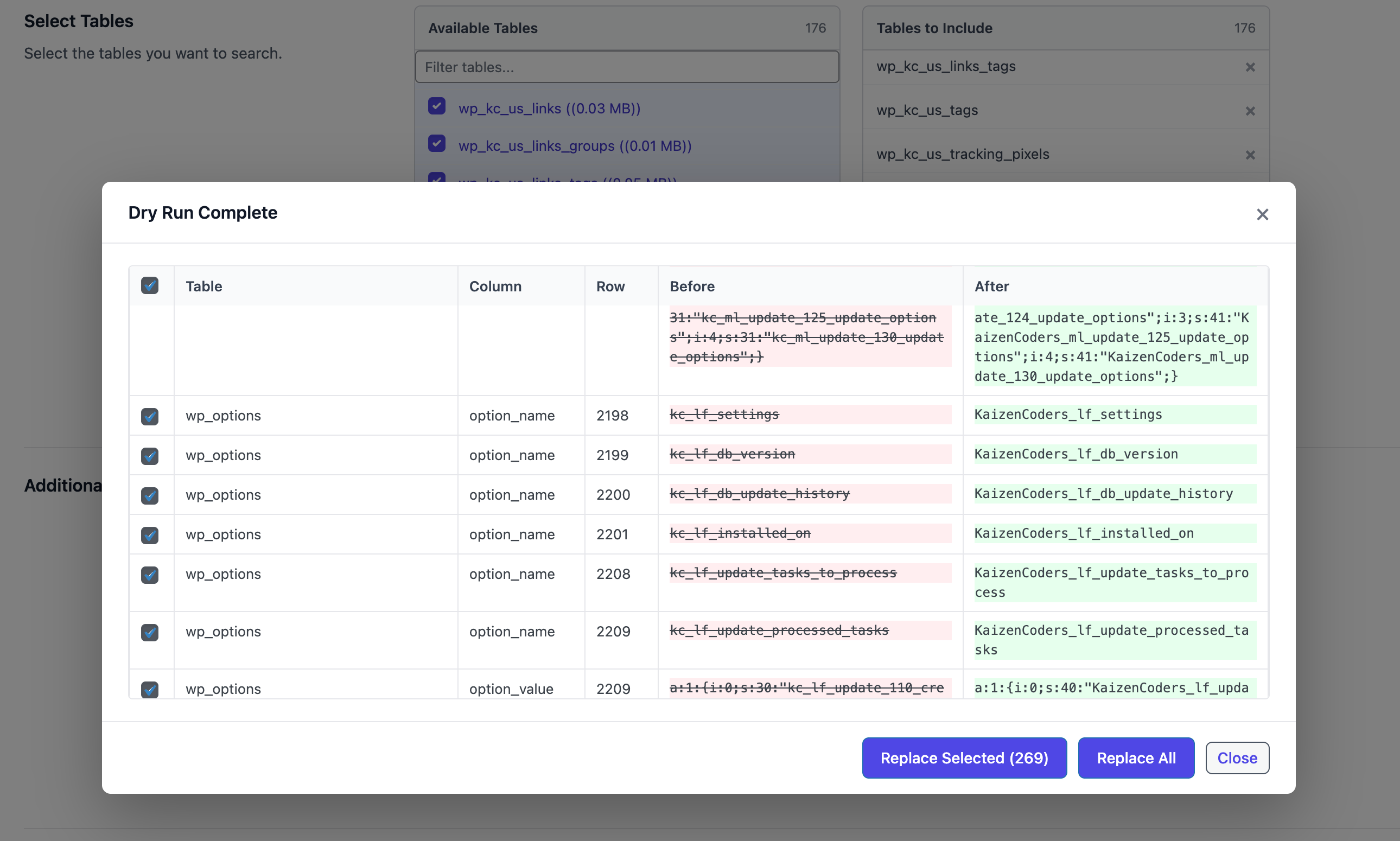
- Replace All
- Replace Selected
Replace Selected
- Keep only needed rows checked.
- Click Replace Selected.
- Only checked rows are updated.
Replace All
- Click Replace All to apply all matches found in dry run.
When to Use
- First-time migrations
- High-risk production changes
- Partial replacements where only some rows should be changed