
Update URLs — The Complete Search & Replace Plugin for WordPress
Update URLs — The Complete Search & Replace Plugin for WordPress
Changing your WordPress site's URL sounds simple — until you realise it's hardcoded across hundreds of posts, thousands of meta rows, and serialized option values you're not supposed to touch. Update URLs is the plugin built for exactly that moment.
Whether you're migrating from HTTP to HTTPS, moving from staging to production, switching CDN providers, or rebranding a domain, Update URLs runs a safe, thorough, serialization-aware find-and-replace across your entire database — no WP-CLI required.
Here's everything the plugin can do.
Core Search & Replace
The heart of the plugin. Enter what you want to find, what to replace it with, and run.
- Works across the entire database — posts, post meta, options, comments, users, user meta, links, term taxonomies, and any custom tables you pick
- Serialization-safe — Update URLs unserializes PHP arrays and objects before replacing, then re-serializes them with corrected byte lengths. You never have to worry about breaking serialized data.
- Case-insensitive option — optionally ignore case while matching
- GUID handling — a checkbox to decide whether to update the
post.guidcolumn (off by default, because changing GUIDs in feeds can cause duplicate posts in RSS readers) - Case preserved in replacement — replace
http://withhttps://orOldBrandwithNewBrandwithout touching anything that merely contains those substrings
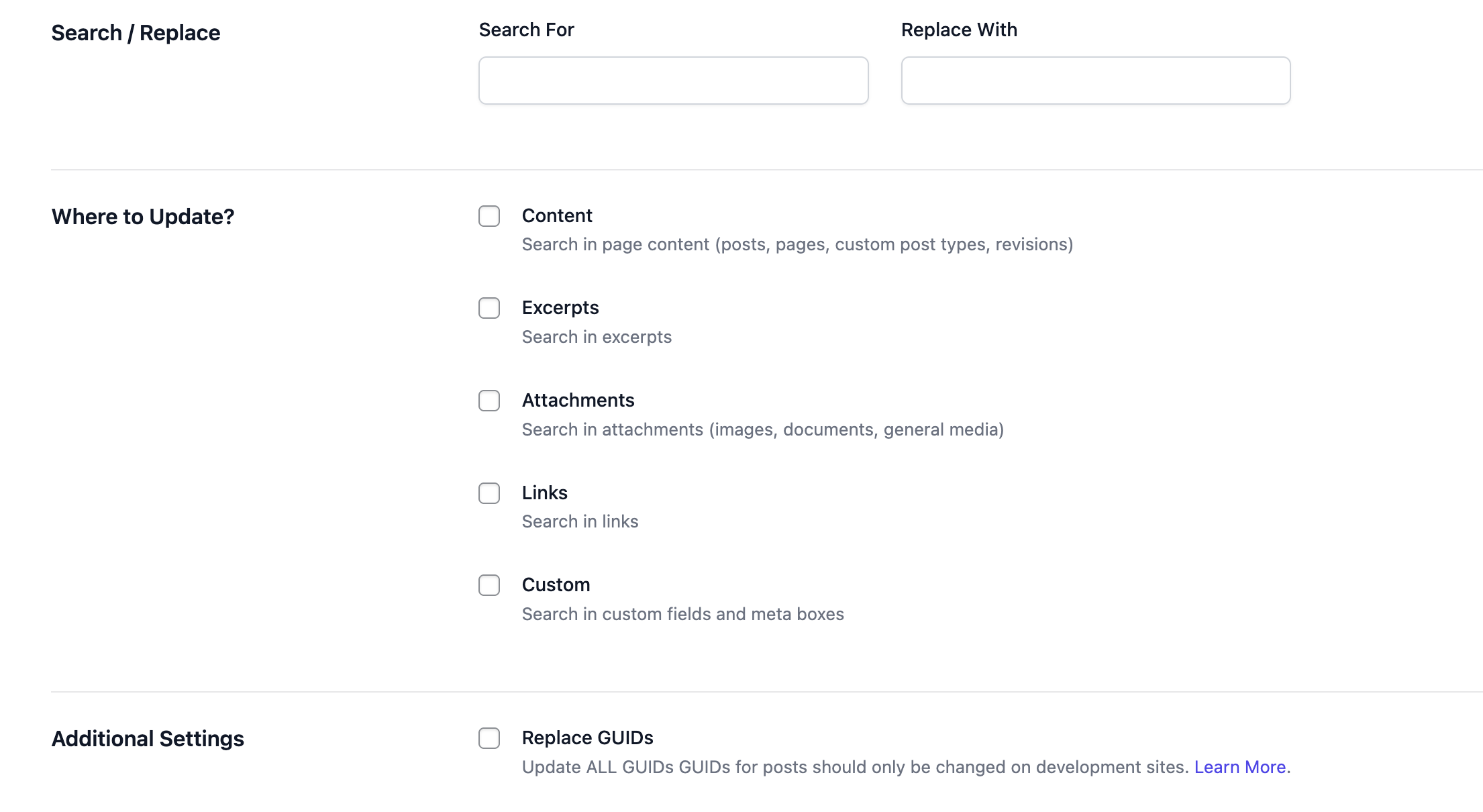
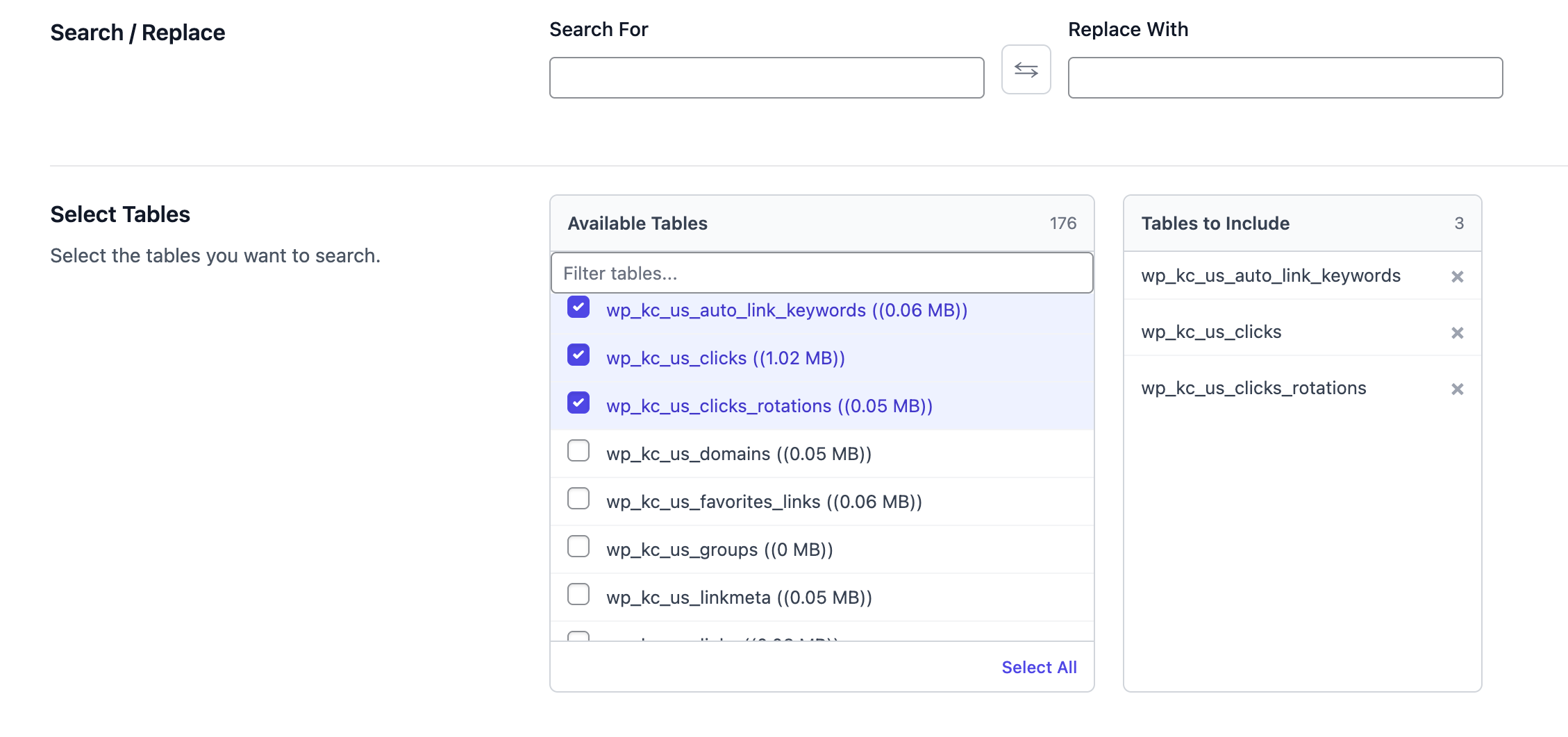
Table Selection (PRO)
Sometimes you don't want to touch every table. Maybe you only want to update post content. Maybe you're debugging and want to scope the operation narrowly.
PRO lets you pick exactly which tables to run against, with table sizes shown so you can estimate how long each one will take.
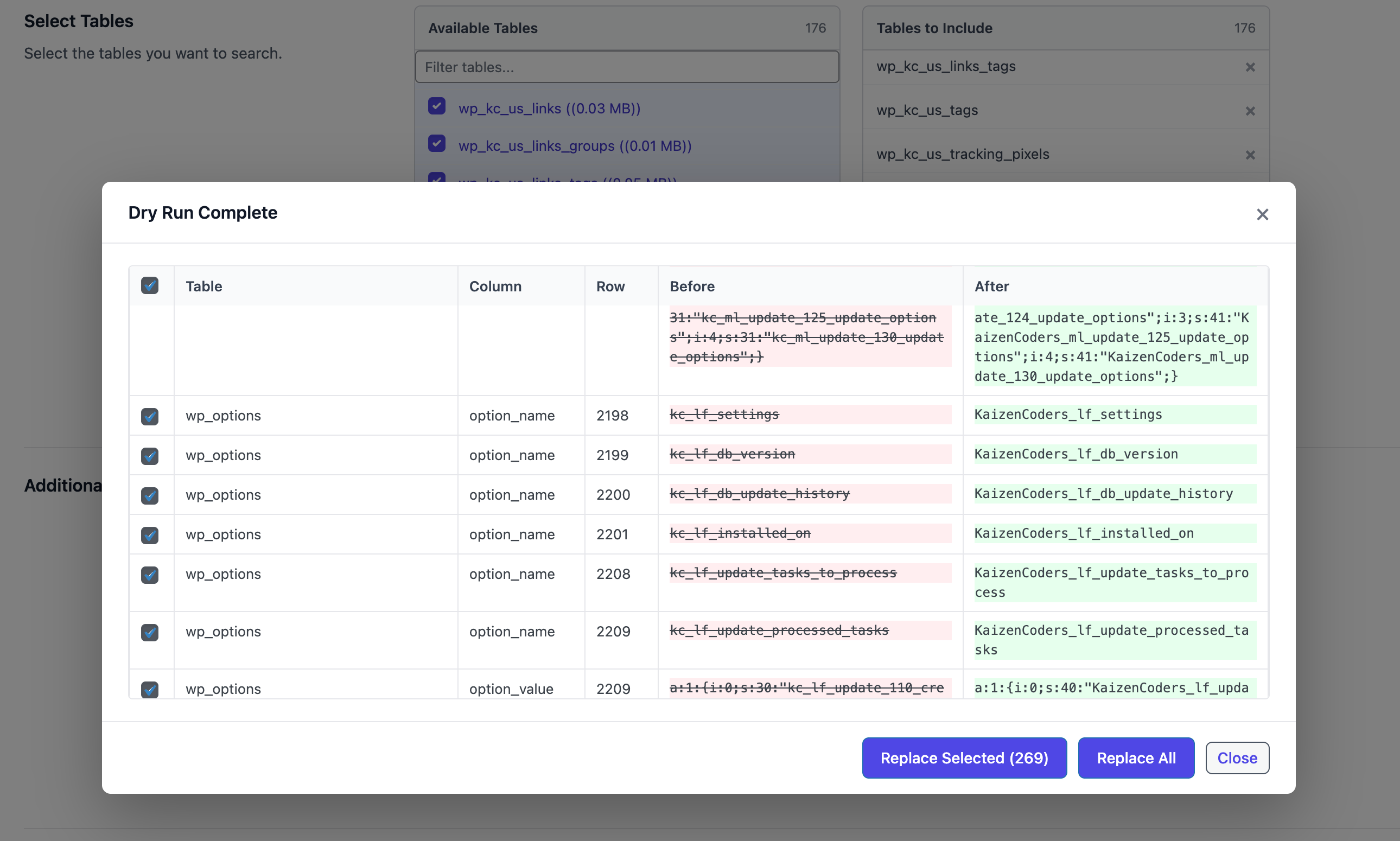
Dry Run Mode (PRO)
The safest way to learn what a Search & Replace will do: run it without writing anything.
Dry Run scans every table you've selected, counts how many rows would change, shows you a sample of the before/after values, and then stops. Nothing is persisted. If the result looks right, run it for real with one click.
Operation History (PRO)
Every Search & Replace is logged to a custom history table — what you searched for, what you replaced with, which tables were touched, how many rows changed, and when.
Browse the full history from the admin, drill into any single operation to see per-table breakdowns, and re-run any past operation with a single click.

One-Click Undo (PRO)
Every operation stores enough information to reverse itself. If a replacement turns out to have been a mistake, click "Undo" on the history row — Update URLs runs the inverse operation (swapping search and replace) and marks the row as undone.
No database restore, no guessing, no SQL.
Database Backup & Import (PRO)
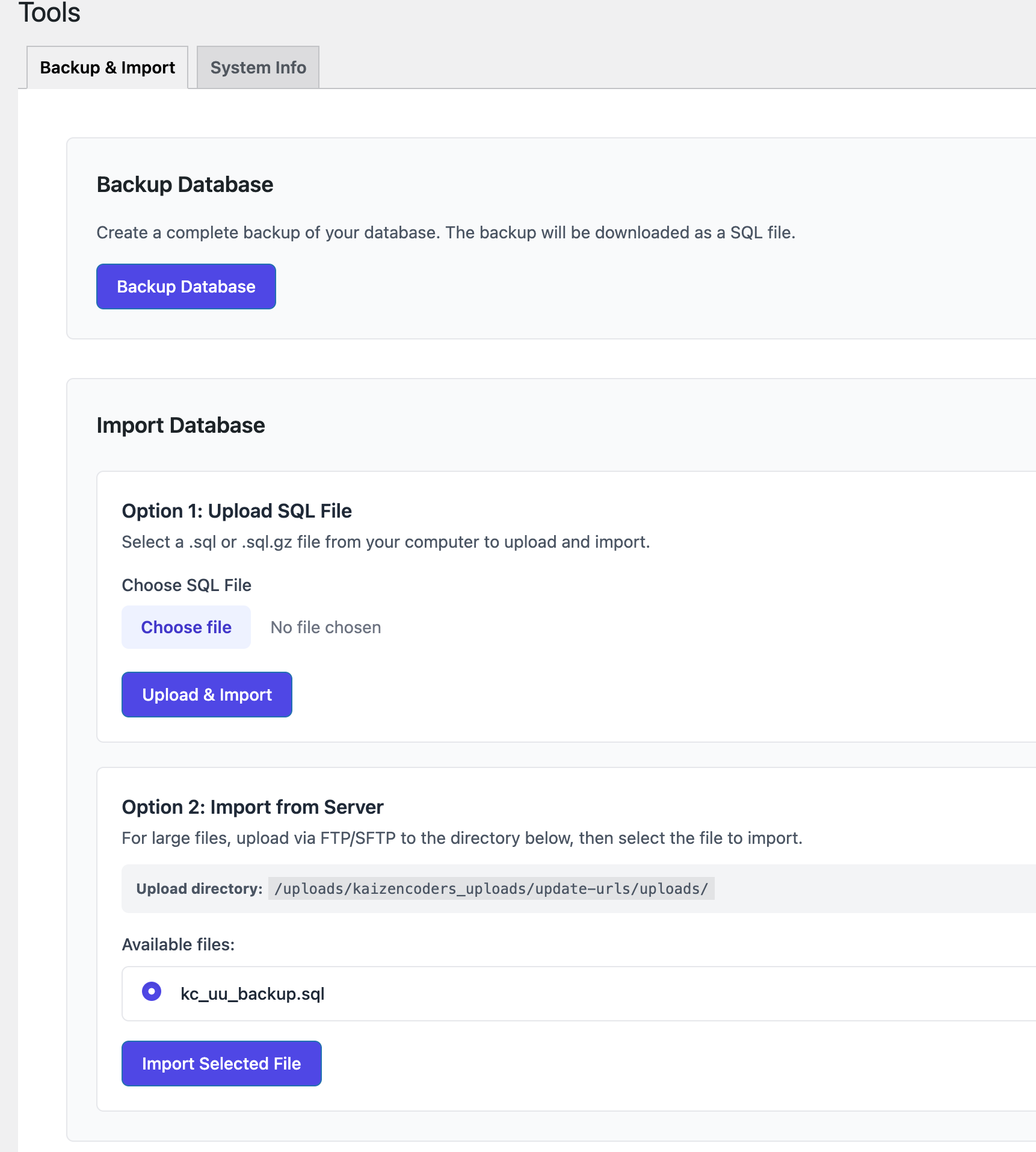
A proper safety net built into the plugin. Before running a risky operation, take a full database backup from the Tools page with a single click. Downloads arrive as gzipped SQL.
When something goes wrong (or you just want to restore a known-good snapshot), upload the SQL file from the same page and the plugin imports it back.
- One-click full database backup
- Gzip compression for smaller downloads
- Drag-and-drop import of
.sqlor.sql.gzfiles - Handles large databases with configurable page sizes
Search Profiles (PRO)
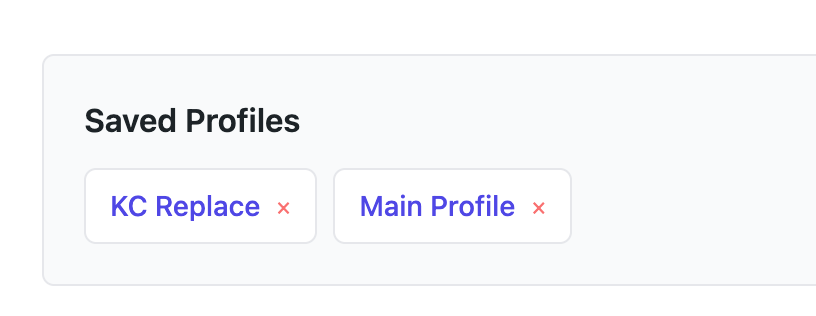
If you run the same Search & Replace repeatedly — say, you're a developer who migrates staging→production weekly for multiple clients — Search Profiles save every option: the terms, the selected tables, the case-insensitive flag, the GUID flag.
Save a profile once, load it with a click, run.
Email Digest (Free)
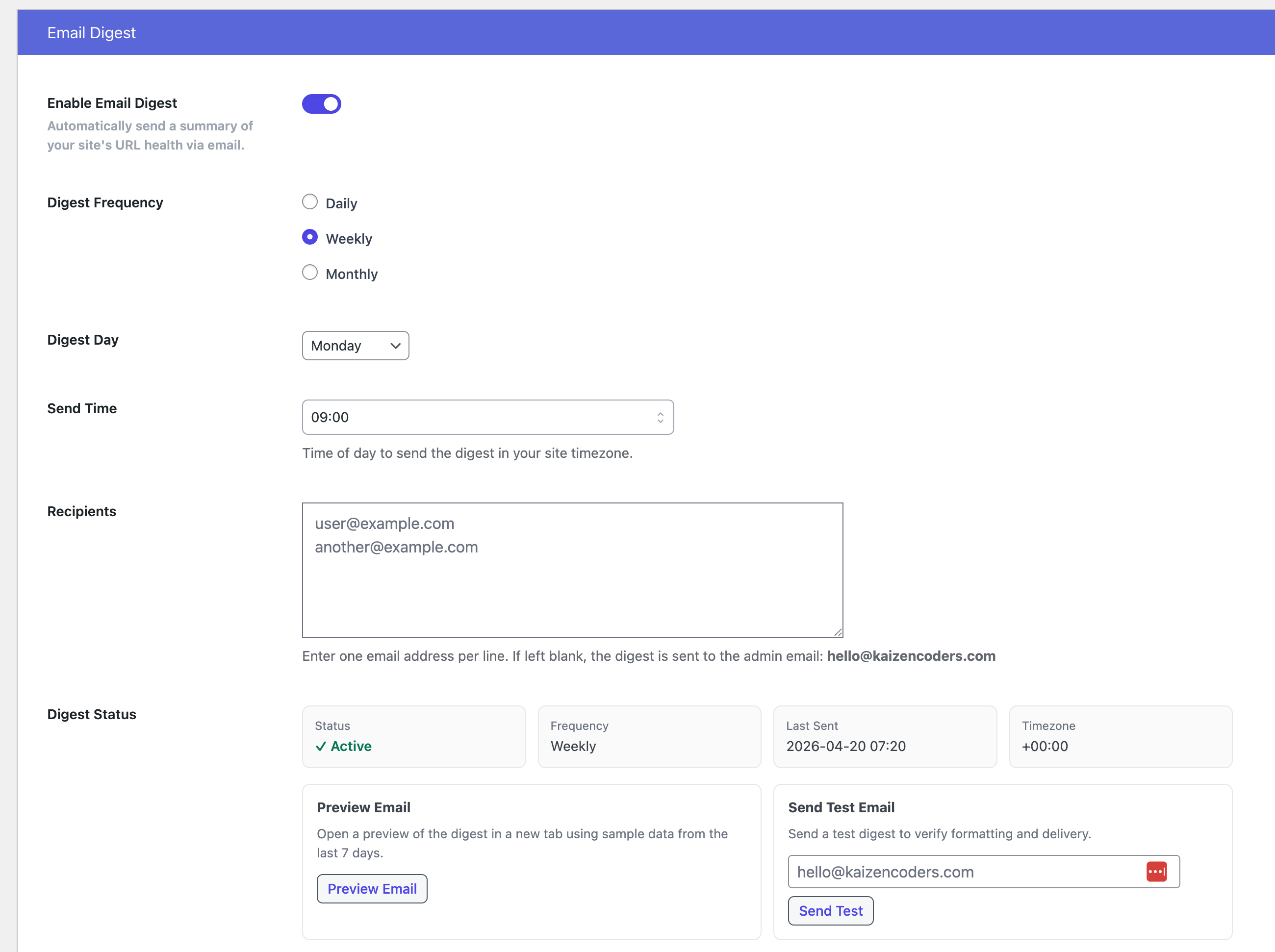
Stay on top of your site's URL health without logging in. Update URLs can send a periodic email digest covering:
- Site Health — whether
siteurlandhomematch, whether your site is on HTTPS - URL Consistency Check — count of published posts still containing HTTP references (when the site is HTTPS)
- Last Search & Replace Activity — what was changed, when, and how many rows
- News, Tips & Announcements — rotating education on best practices
Configure frequency (daily / weekly / monthly), delivery time, and recipient list. Enabled by default on a daily schedule after install or upgrade.
Email Digest Preview & Test Send
Don't wait until Monday morning to find out the digest layout is broken in Outlook. The Email Digest settings page includes:
- Preview — opens the digest in a browser tab, rendered from real site data
- Send Test Email — drops a test digest into any inbox you specify
Settings That Respect Performance
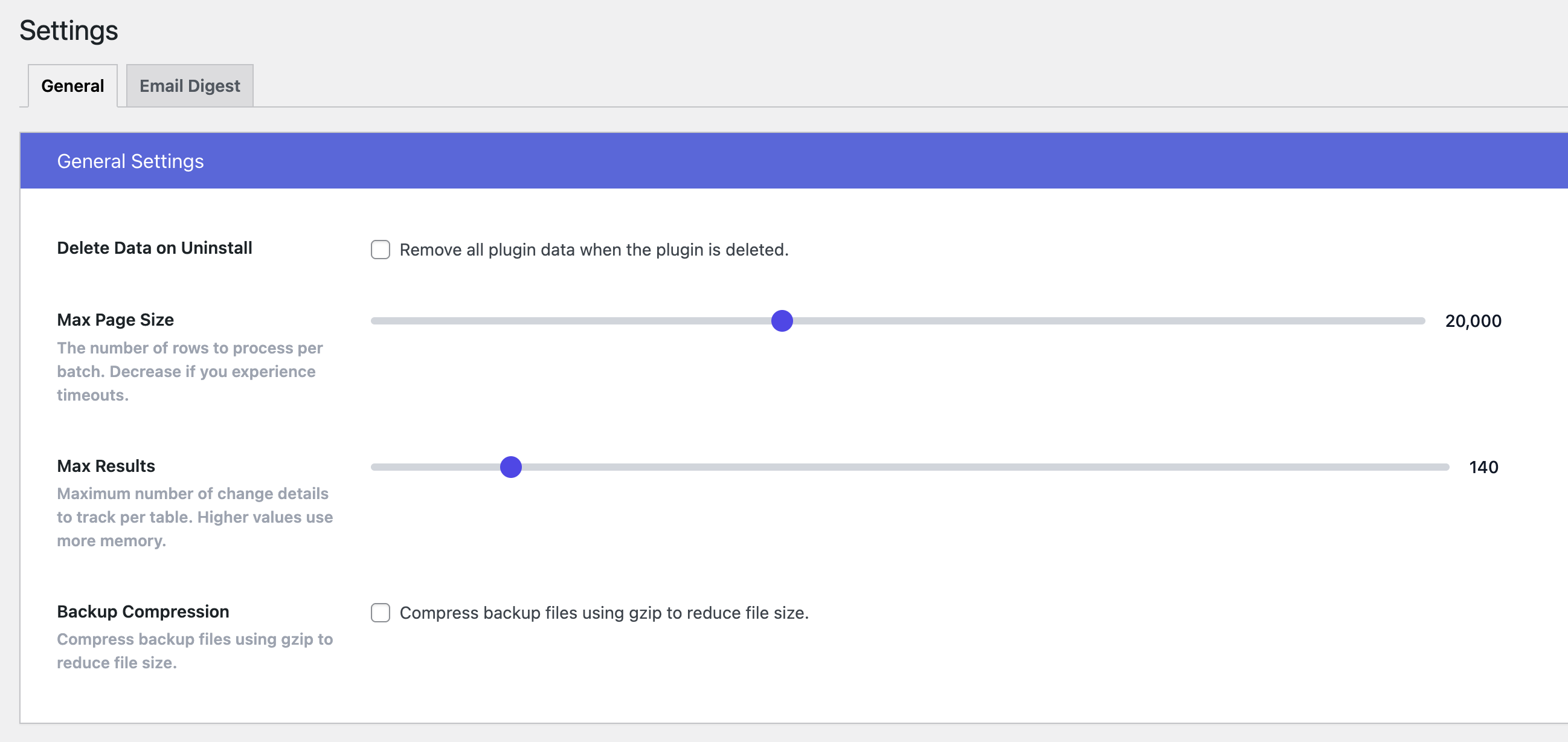
Large sites don't fit in memory. Update URLs processes tables in configurable pages:
- Page Size — rows to load per batch (1,000–50,000, default 20,000)
- Max Results — cap on how many row-level changes the UI displays (20–1,000, default 60)
- Gzip Compression — enable for backup exports
- Delete Data on Uninstall — off by default; turn on when you want a clean uninstall
Security & Safety
- Capability check — only users with
manage_optionscan run operations - Nonce verification on every admin action
- Confirmation banners warning you to back up before running Search & Replace
- Serialization-aware — never corrupts PHP-serialized data
- Separate undo log — every change is reversible in PRO
Why Update URLs?
There are WP-CLI tools and SQL scripts that do search-and-replace. Update URLs exists for everyone who doesn't want to SSH into a server at midnight to rename a domain.
- ✅ No server access required
- ✅ Serialization-safe from day one
- ✅ Dry Run before you commit
- ✅ Undo if you change your mind
- ✅ Built-in backup so you're never one click away from disaster
- ✅ Periodic email digest so you notice problems before your users do
Getting Started
- Install Update URLs from the WordPress plugin directory
- Go to Update URLs → Search & Replace
- Take a database backup (available with PRO, or use your host's tool)
- Enter your search and replace terms
- Hit Run — or Dry Run first if you have PRO
For migrations, rebrands, HTTPS switches, and CDN moves, Update URLs is the tool that gets you across the line without breaking anything.
Unlock PRO Features
If you haven't already, Upgrade to PRO to access the full power of Update URLs: table selection, dry run mode, operation history, one-click undo, database backup & import, and search profiles. PRO is a must-have for agencies, developers, and anyone who runs Search & Replace more than once.